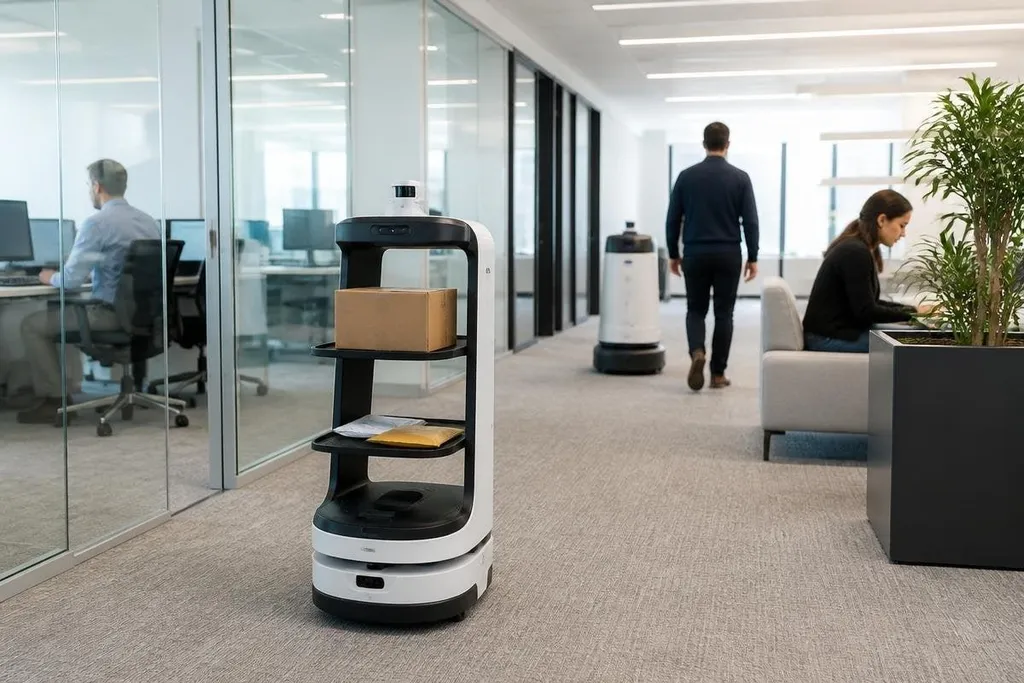
Office robots are moving routine physical work away from human desks. They can carry items, clean floors, guide visitors, inspect rooms, or let a remote worker join a meeting through a mobile screen.
The change is practical: people spend less time on repeat tasks, while offices must make room for charging, safety checks, and robot traffic.
- Common jobs: delivery, cleaning, reception, security patrols, and telepresence
- Main requirement: clear routes, safe handoffs, and staff who know what to do when a robot stops
- Open limit: a robot can repeat a task well, but office work still needs human judgment
Where office robots fit
The easiest jobs to automate have a clear start and finish.
A robot can move documents between rooms, carry supplies from storage, or take waste to a collection point. Its software follows a map and uses cameras, LiDAR, or other sensors to detect walls and people.
Cleaning robots use the same basic idea on a larger area. They follow planned routes, avoid desks and chairs, and return to a charging dock when their battery runs low. A facilities team still needs to empty tanks, clear cables, and handle areas the robot cannot reach.
Reception robots work in a more public setting. A screen can ask a visitor who they are meeting, call the host, and show directions. That saves staff from repeating the same instructions, but the robot needs a clear fallback when a visitor has a question outside its script.
Telepresence robots change office access in a different way. A remote worker controls the robot through a network connection, moves around the site, and speaks through its camera and speaker. This can help someone attend a meeting across the building, though it depends on stable Wi-Fi and routes wide enough for the robot.
What changes for staff
Office robots rarely remove one whole job at once. They take a defined task, then leave people with setup, supervision, exceptions, and care. A facilities worker may spend less time pushing a vacuum and more time checking rooms, supplies, and blocked routes.
That shift changes the skills an office needs. Staff may need to start a robot, select a route, read an error message, or report a problem with its sensors. The work stays physical, but the point of control moves from a handle or cart to a screen and a software setting.
Office layout changes too. A delivery robot needs room to turn near doors and lifts. A cleaning robot needs floors free of loose cables. A telepresence robot needs a camera height that lets its operator see faces without pointing at ceilings or desks.
An office robot can fit through a doorway and still fail its daily job if a person must move chairs, open doors, or clear its route each time. Those limits are worth checking in Robot 24 before the next section looks at where office robots still need people.
The limits inside a real office
Office buildings are full of exceptions. A chair moves, a door stays open, a lift is busy, or a visitor blocks a corridor. Each event can stop a robot or send it back for help.
Privacy also needs a clear rule. Cameras and microphones may collect information about staff, visitors, and meeting rooms. An office should state what the robot records, where that data goes, and who can access it.
Safety needs more than a warning label. People must know how close they can stand, where the emergency stop is, and who takes control after a collision or sensor fault. Any robot that moves near people needs a tested stopping response and a clear path for reporting faults.
Cost includes more than the purchase price. An office may need network changes, charging points, software access, service visits, staff training, and spare parts. A robot that saves 30 minutes of work each day may still fail the budget if setup and care take longer than the task it replaces.
I'd skip an office robot when the job changes every few minutes and needs constant human judgment. A fixed task with a clear route is a much better place to start.
A practical check before buying
Use this checklist before putting a robot into daily office work:
- Name the task: write down the exact start point, end point, handoff, and failure case.
- Map the route: check doors, lifts, turns, floor changes, cables, and busy periods.
- Set the human role: choose who starts the robot, watches alerts, clears faults, and records damage.
- Check the data: list every camera, microphone, map, and account the robot needs.
- Measure the work: record task time, stoppages, charging time, and staff minutes before a purchase.
- Plan the exit: decide how staff will complete the task if the robot is offline.
The best first project is small enough to measure and boring enough to repeat. Run one route or one room, record the stoppages for several weeks, and expand only if the saved staff time remains larger than the robot's care and support load.